![New Project.png]](https://knowledgebase.edutrak.com/hs-fs/hubfs/New%20Project.png?height=40&name=New%20Project.png)
**Notifications can only be sent out to Admin who have a user account to the Edutrak admin site.
To select the admin user who needs to be notified
1. Login to Edutrak admin site
2. Navigate to Fees> Fee items
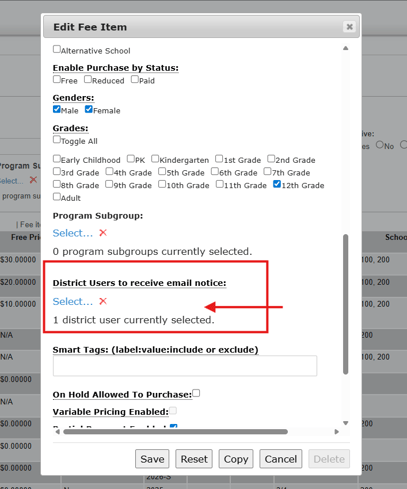
3. Select or create your fee item and scroll down to 'District user to receive email notice'
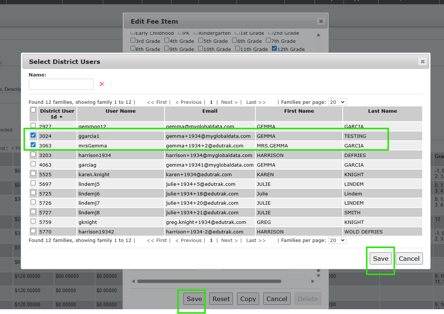
4. Select your admin user/s and click save
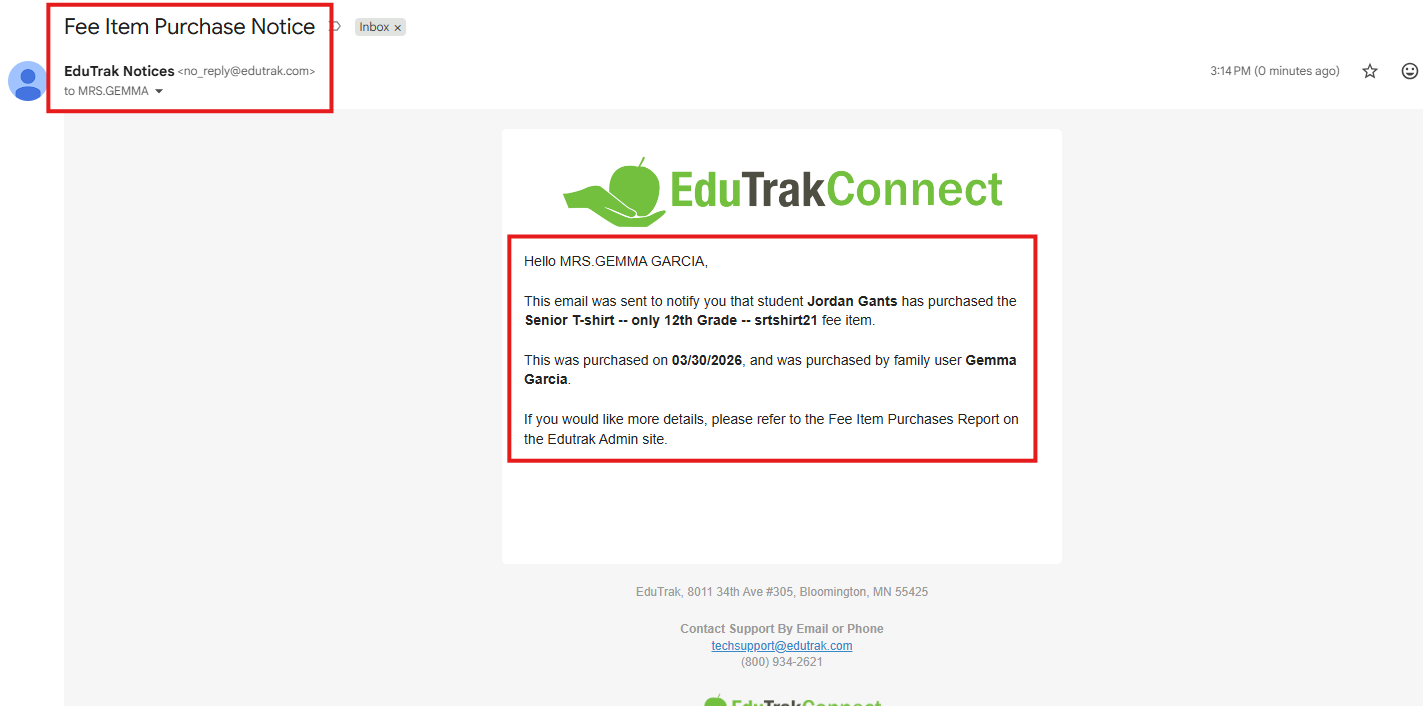
5. When the Fee item is purchased, the email notification will look like this: It includes details such as the student who the fee item was purchased for, the fee item name/SKU, the date it was purchased and the Family user who made the order/purchase.