![New Project.png]](https://knowledgebase.edutrak.com/hs-fs/hubfs/New%20Project.png?height=40&name=New%20Project.png)
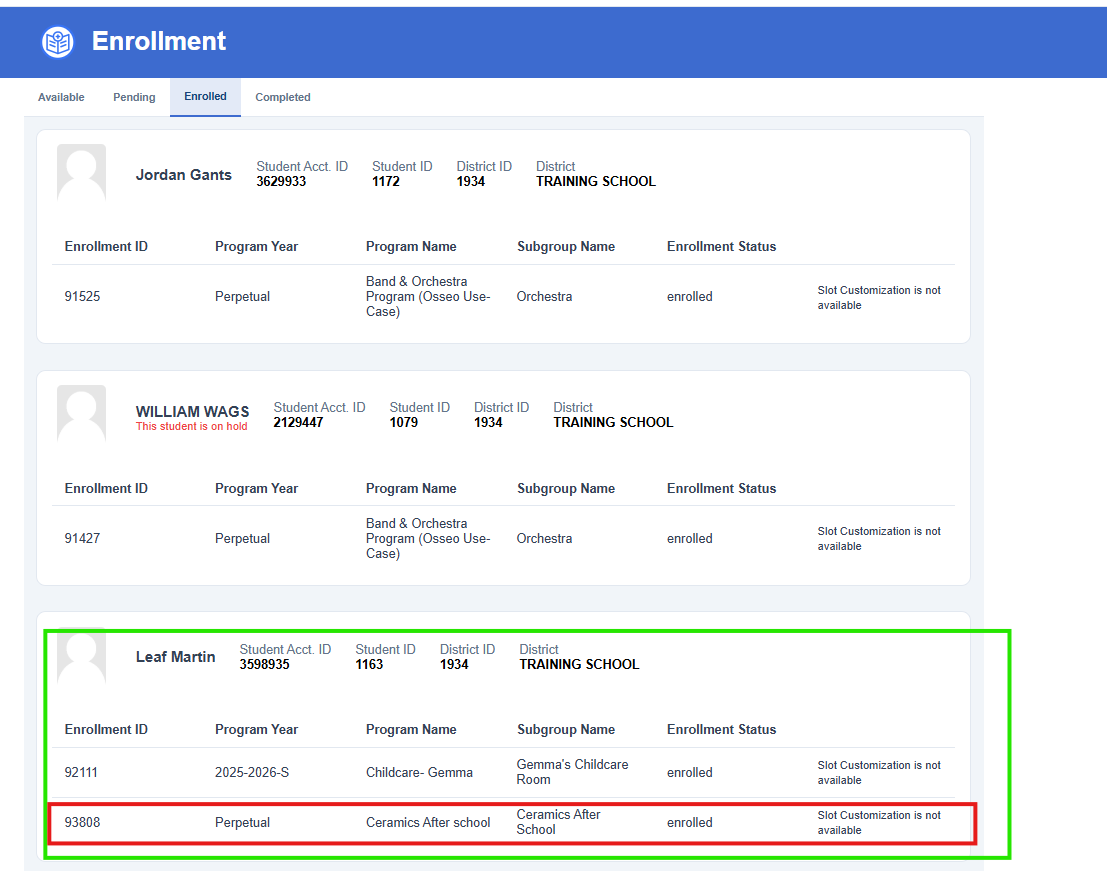
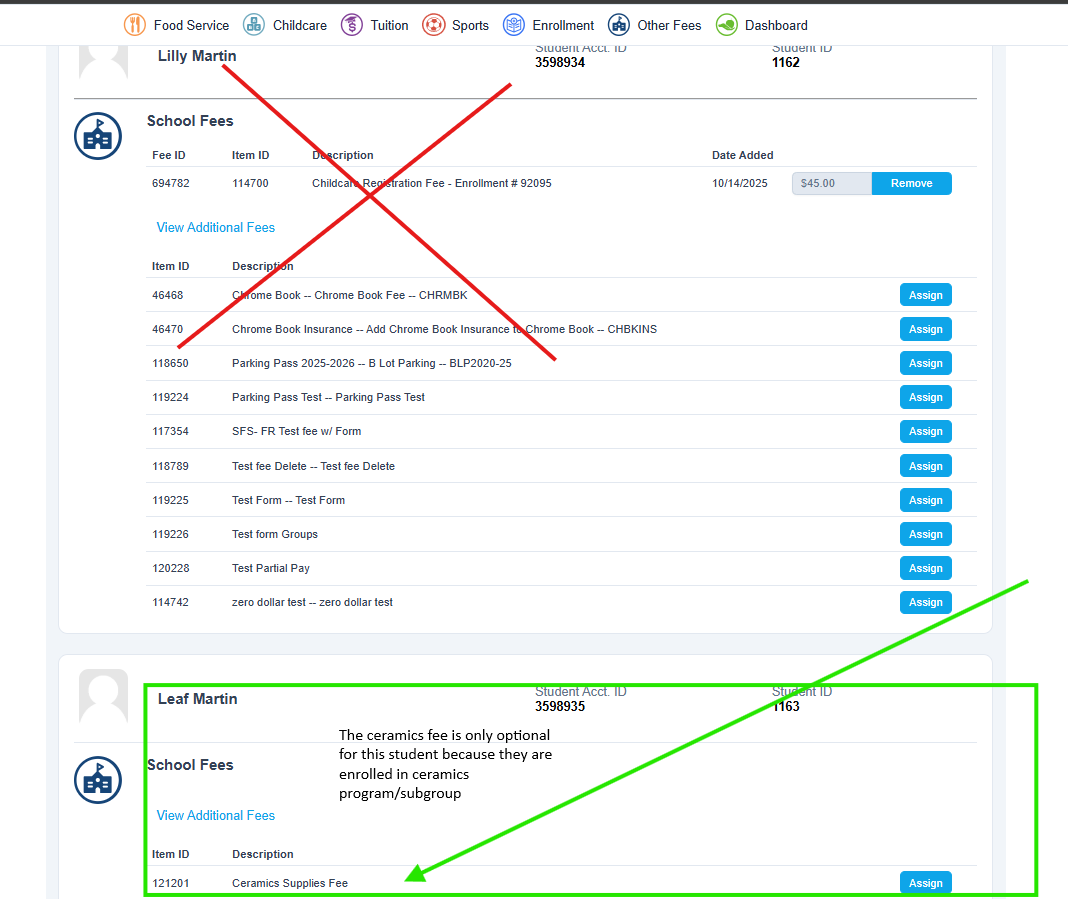
A use-case example is a 'Band Camp' Program where a student needs to pay a Band Fee rental and you may want all instruments available to select from as optional fees once the student is enrolled the Band Camp program.
To enable the setting
**At this point your Program is already setup & Configured
1. Login to the Edutrak admin site
2. Navigate to Items> Fee items
3. Select or create your fee and scroll down to the 'Program selection' and select your program. Click save
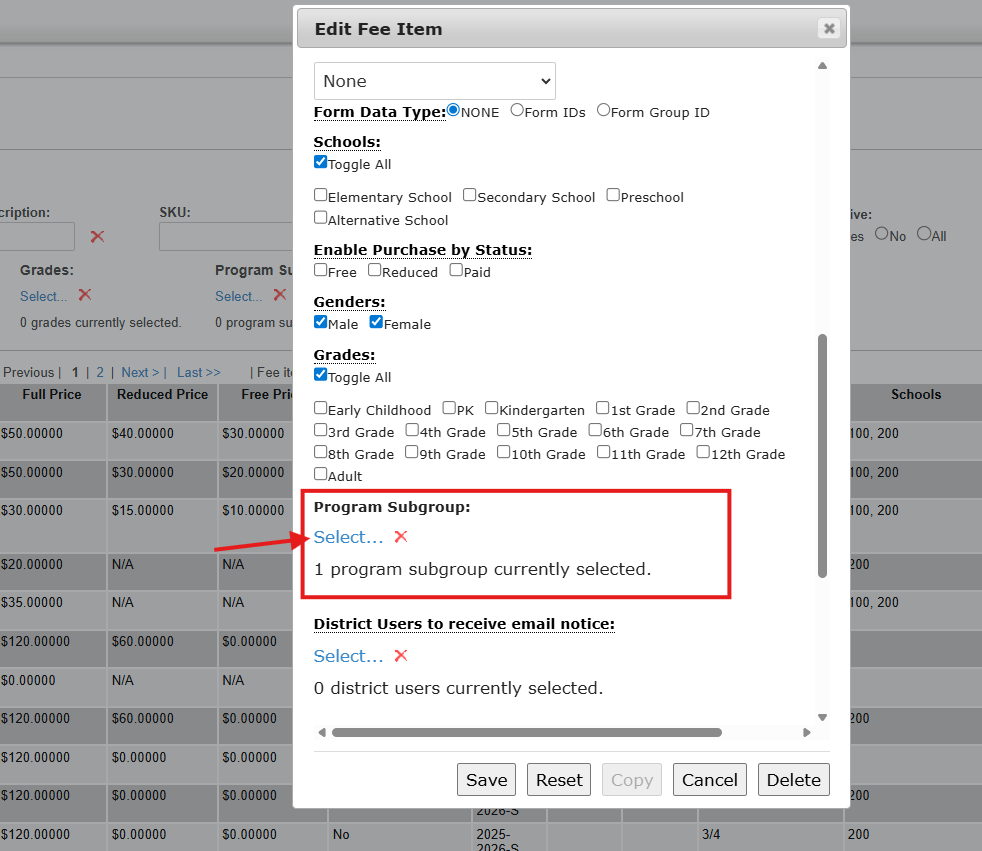
4. Set the Fee item as an optional Fee
5.Now when a Student successfully is enrolled into this program, they will see this Fee as an optional Fee to select from.