![New Project.png]](https://knowledgebase.edutrak.com/hs-fs/hubfs/New%20Project.png?height=40&name=New%20Project.png)
To enable AutoPay for fees for a registered family user:
Note: The family must have an active EduTrak account.
1. Log in to the EduTrak admin site.
2. Search for the family account and navigate to the Family Dashboard.
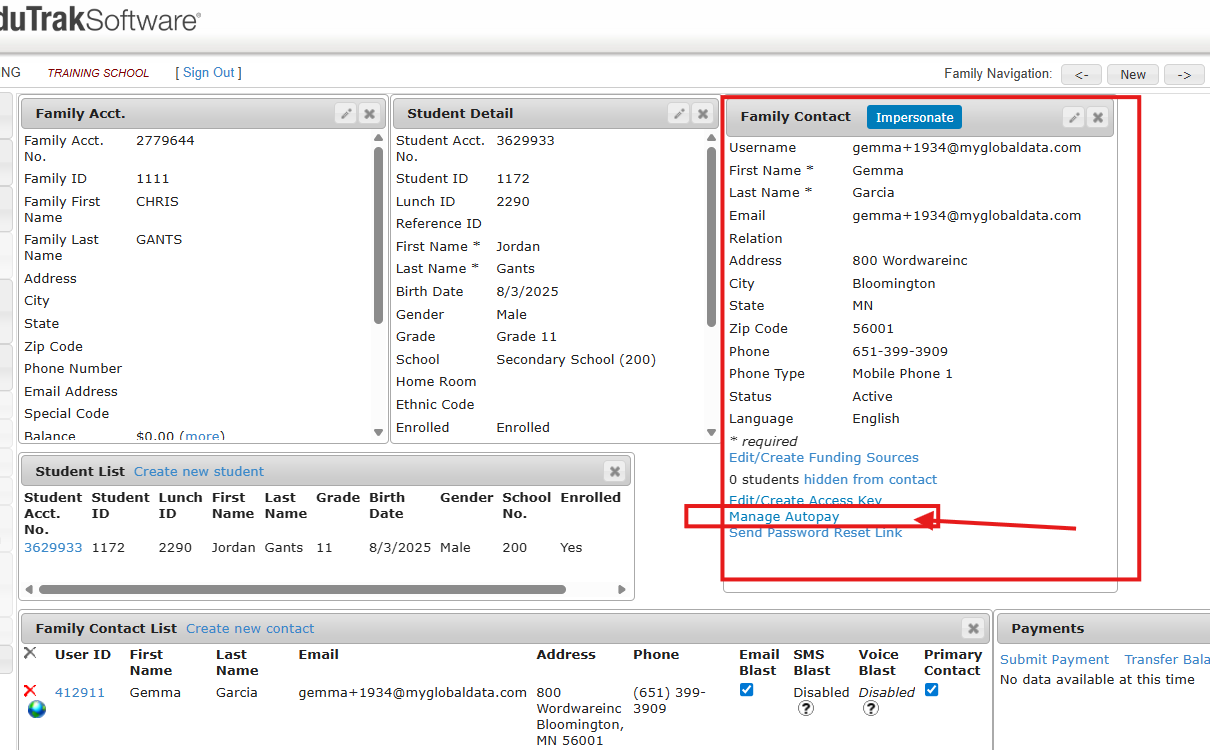
3. Select the family contact to open the Family Contact Details, then scroll down to Manage Auto Payment Settings.
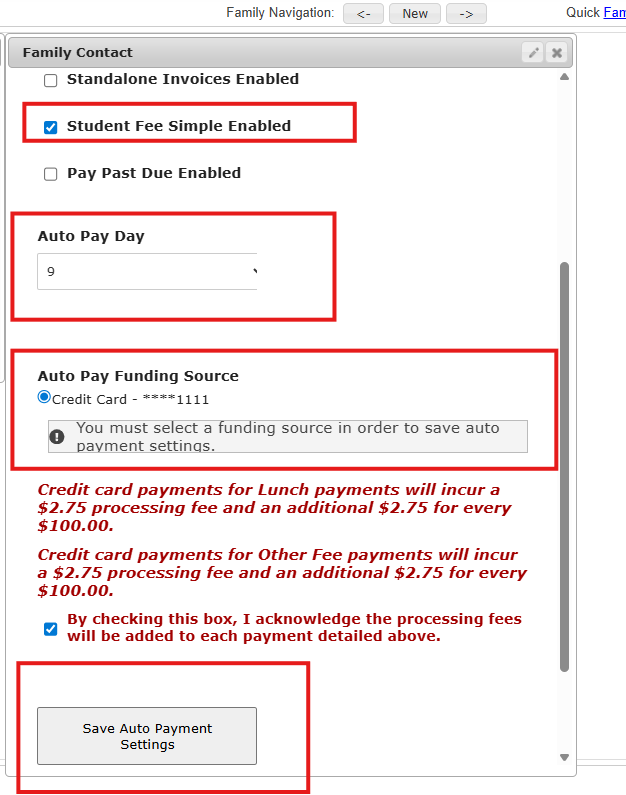
4. Select Student Fee Simple, select a AutoPay Date, select their funding source and click 'save settings'