![New Project.png]](https://knowledgebase.edutrak.com/hs-fs/hubfs/New%20Project.png?height=40&name=New%20Project.png)
1. Login to the Edutrak Admin site
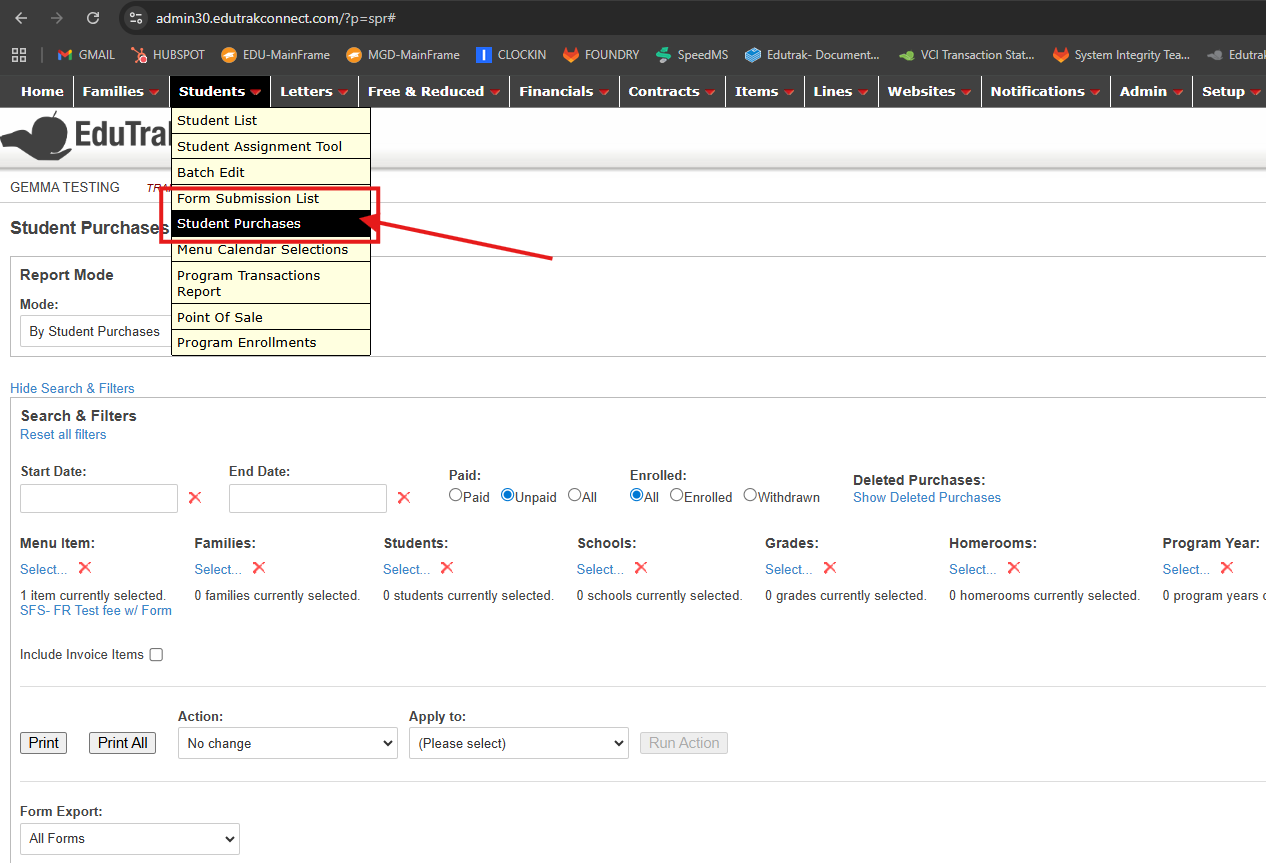
2. Navigate to Students> Student Purchase List
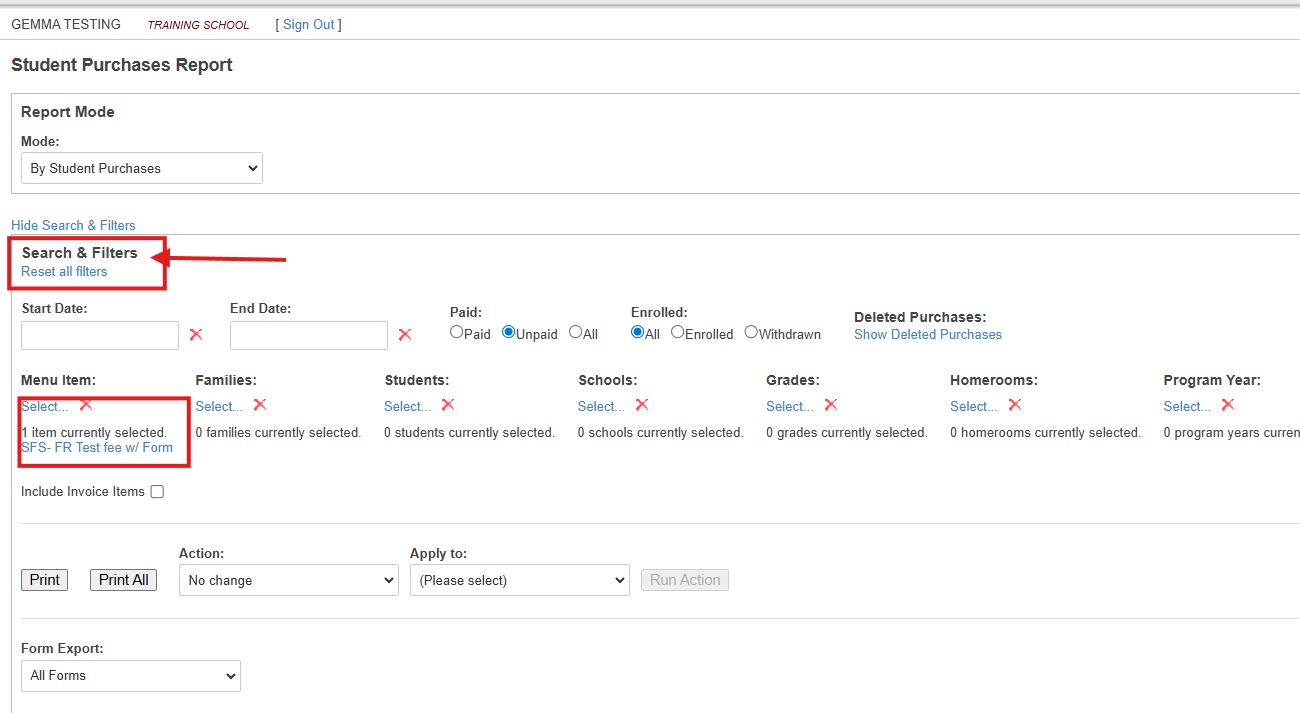
3. Use the Search & Filters to select a fee, a student or a group of students you want to see the Form Data for.
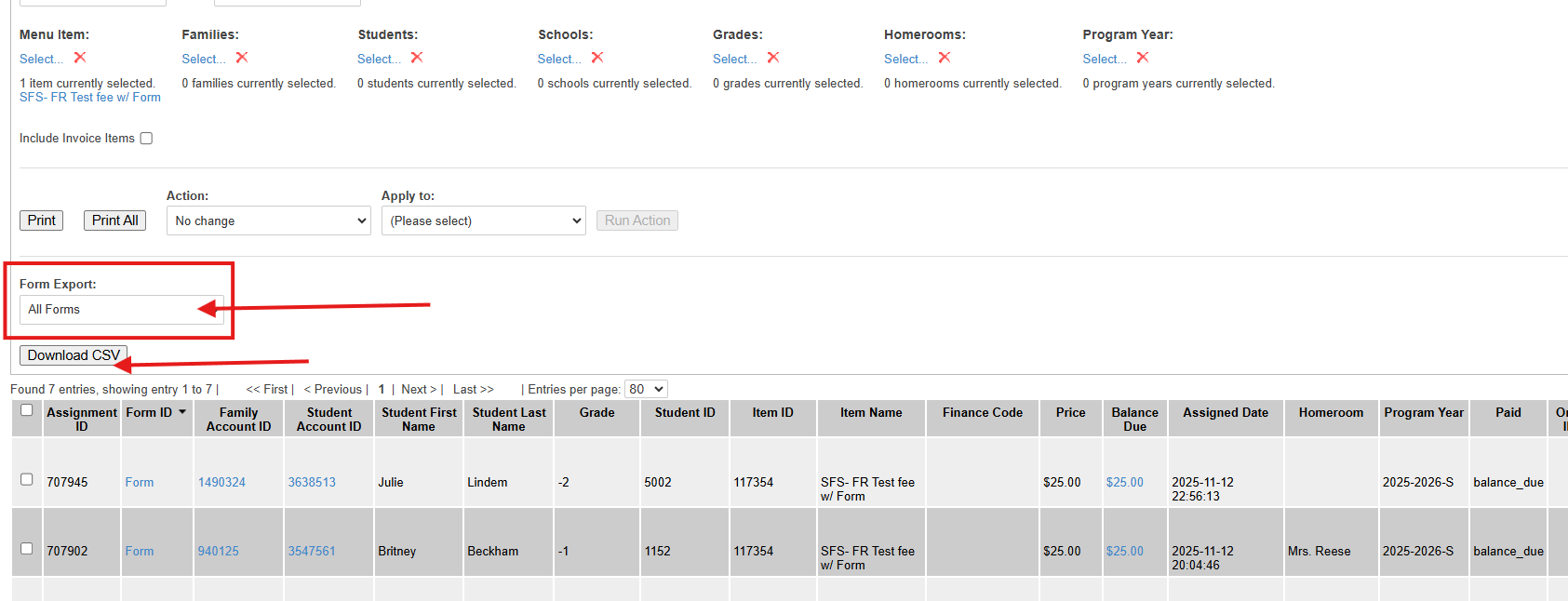
4. Under 'Form Export' select "All Forms" and click on Download CSV
5. An Excel document will download to your computer and you will find the Fee details as well as the Form Data collected with the fee purchase
