![New Project.png]](https://knowledgebase.edutrak.com/hs-fs/hubfs/New%20Project.png?height=40&name=New%20Project.png)
When ready to close out the serving for a meal period
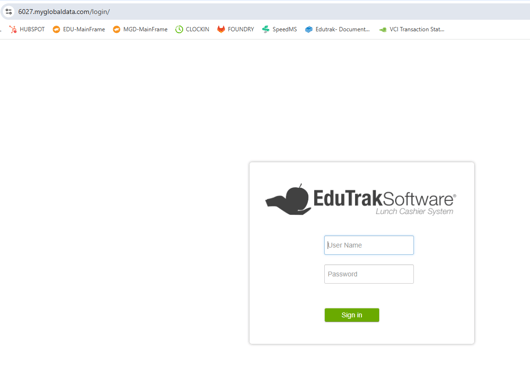
Step 1: Login to the EduTrak ESC site.
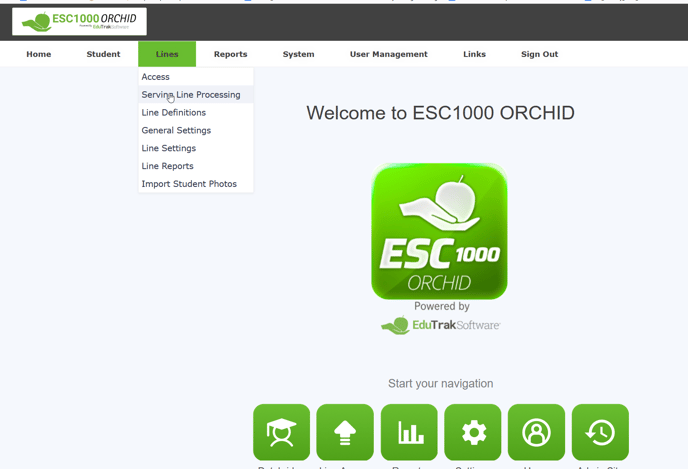
Step 2: Select Lines > Serving Lines Processing.
You will see all of your open serving lines.
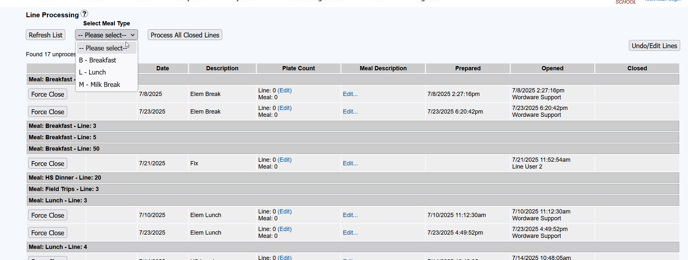
3.Step 3: At the top of the site, click the Meal Type drop-down and select the Meal Type you want to close.
Example: When you are done serving Breakfast for the day, select “Breakfast” to close all Breakfast serving lines.
Step 4: Once the meal type is selected, click Force Close All Lines by Meal Type.
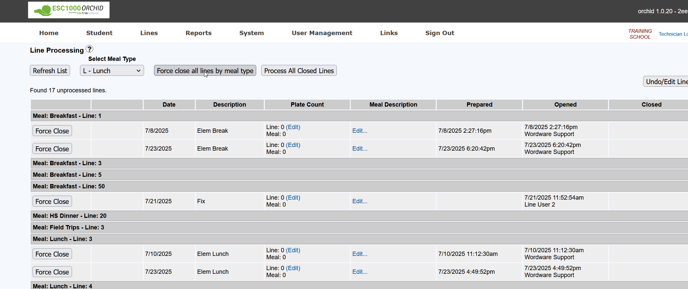
⚠ Warning: Make sure you want to force close all lines before submitting. Once closed, you cannot open any of these lines without contacting support.
**** You can now proceed to process all closed lines for that meal type.