![New Project.png]](https://knowledgebase.edutrak.com/hs-fs/hubfs/New%20Project.png?height=40&name=New%20Project.png)
1. Sign into the Edutrak Admin site
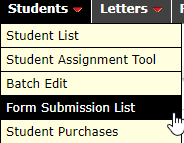
2. Students > Form Submission List
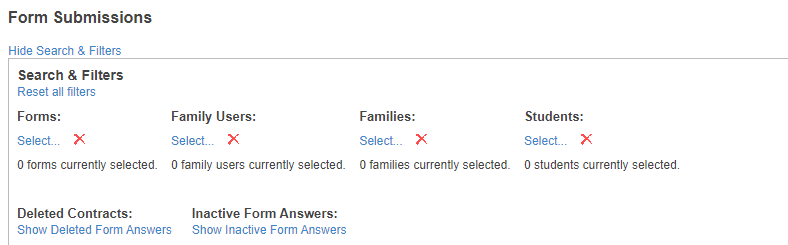
3. Form Submission > Search and Filters
You can filter Form Submissions by: Forms, Family users, Families or Students
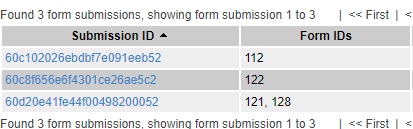
4. Forms selected per the filter will show up below
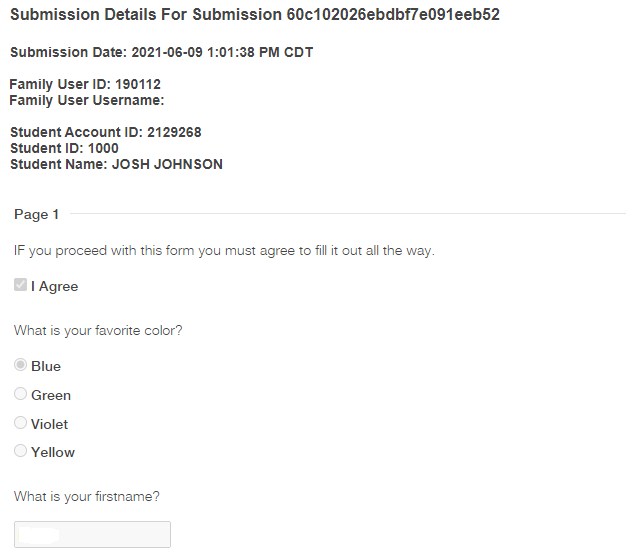
5. Click on the Submission ID > You'll get a Submission Form with details such as:
Submission Date:
Family User ID:
Family User Username: (email of SSK12 account)
Student Account ID:
Student ID:
Student Name:
And you'll get the form that was submitted
For, example: