![New Project.png]](https://knowledgebase.edutrak.com/hs-fs/hubfs/New%20Project.png?height=40&name=New%20Project.png)
Begin by assigning a fee to one or more students. Admin > Student > Batch Edit
Action: Assign Student Fees
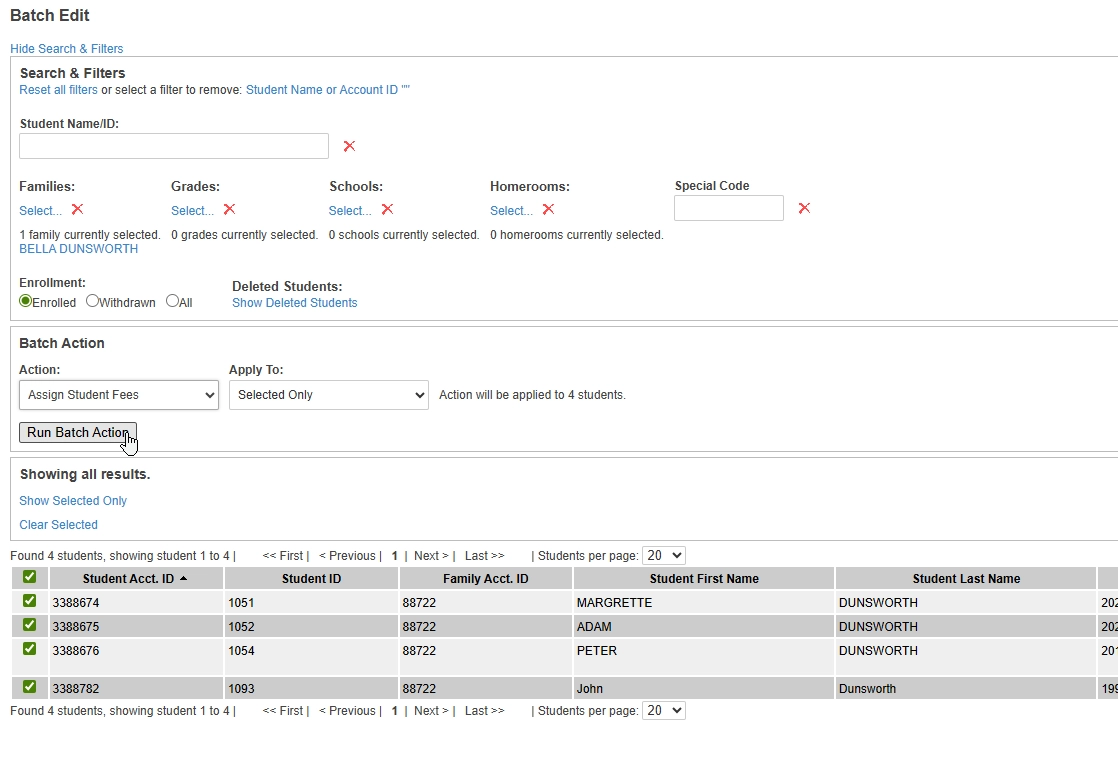
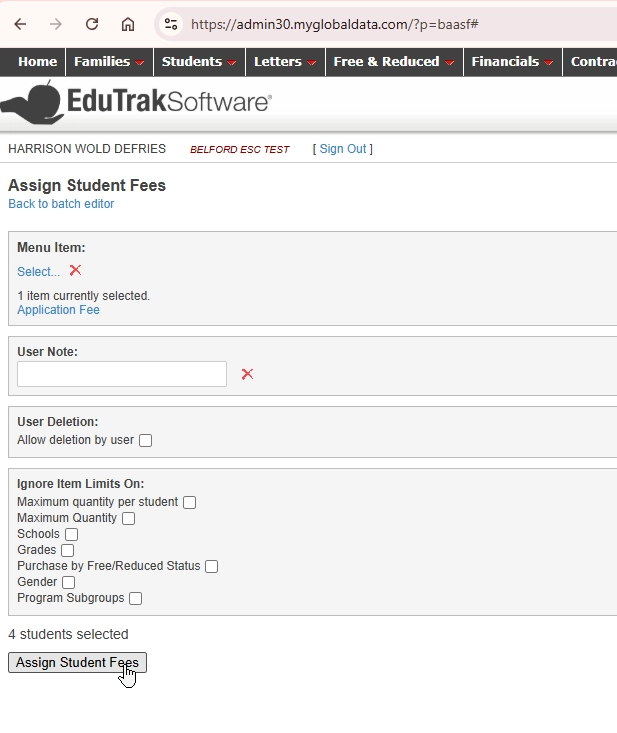
Select the fee item and assign
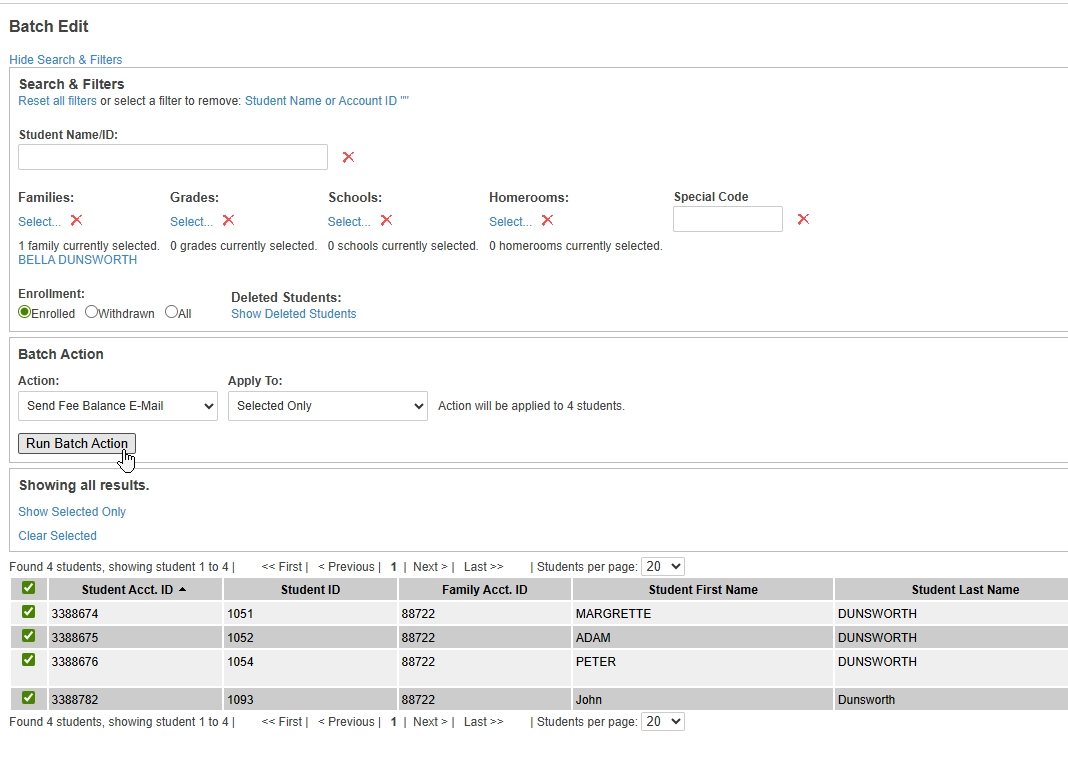
After the fees are assigned, go back to the batch editor. Admin > Student > Batch Editor >
Action: Send Fee Balance Email > Run
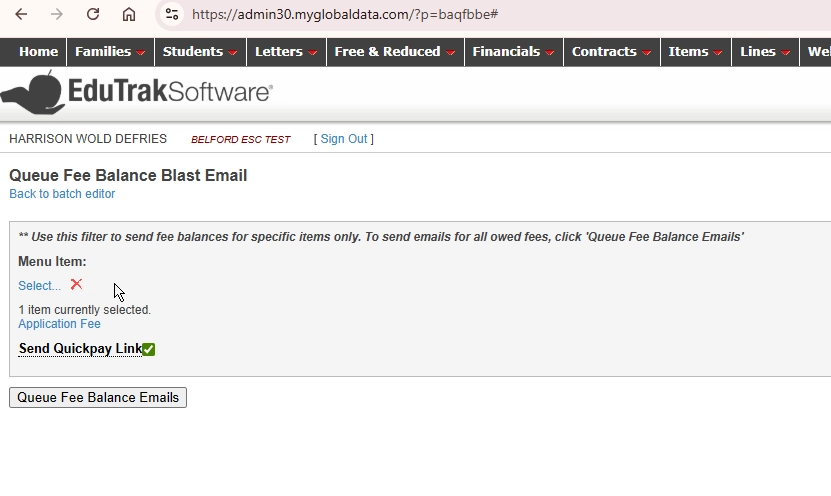
Reselect the fee you want to send notices about. Then check the QuickPay option to include the QR code.
When the user receives the email it will look like so
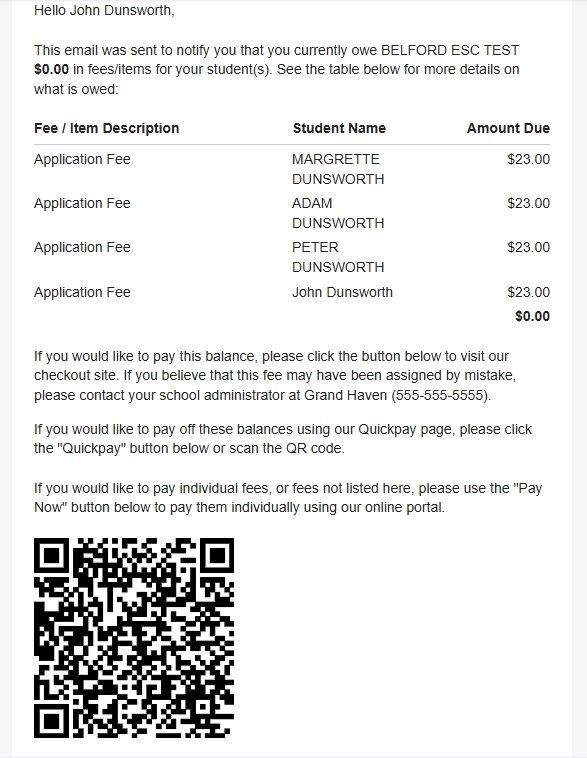
They can use their phones camera to hover over the link and they will be prompted with a link to QuickPay.
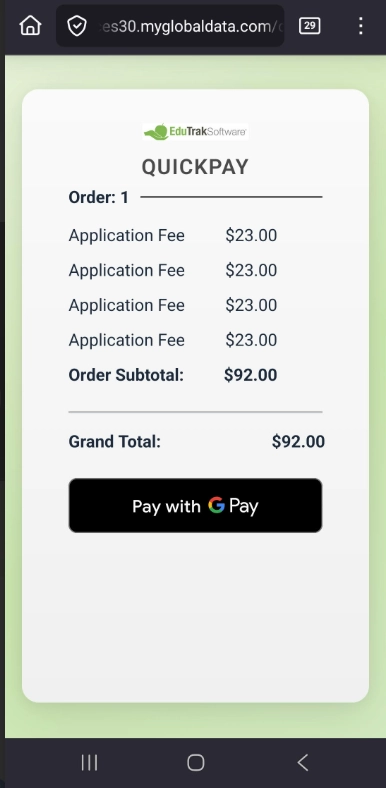
Click Pay with GPay/Apple Pay
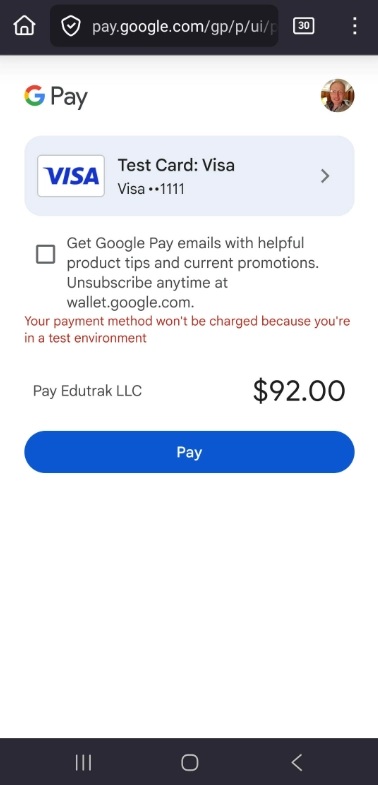
Click Pay, and you’re done.