![New Project.png]](https://knowledgebase.edutrak.com/hs-fs/hubfs/New%20Project.png?height=40&name=New%20Project.png)
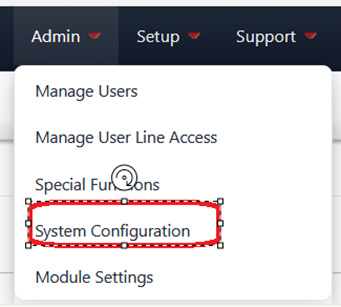
Go to your district site (admin site). Click on the Admin tab. Then choose System Configuration.
Then, page down and look for Add Custom Funding Source.
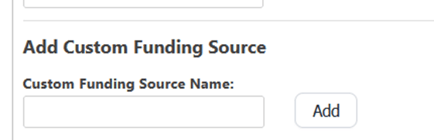
Give your new source a name. You can use Coupon, Voucher, Other, or whatever you want.
Once you have entered the name, click on Add. Then at the bottom of the page, click on Save.
This will now be a Funding Source in your DPOS.