![New Project.png]](https://knowledgebase.edutrak.com/hs-fs/hubfs/New%20Project.png?height=40&name=New%20Project.png)
How to generate and print ID cards
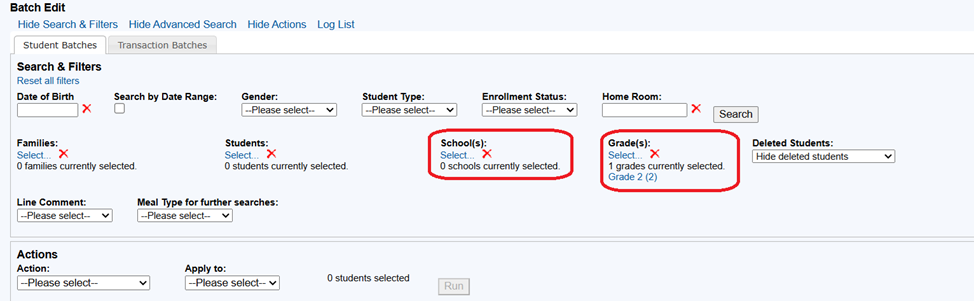
Log into your ESC site and go to Batch Edit, under the Student tab.
Pull up the students you wish to create IDs. Filter by grade or school or both.
Choose Print ID cards from the Actions Menu:
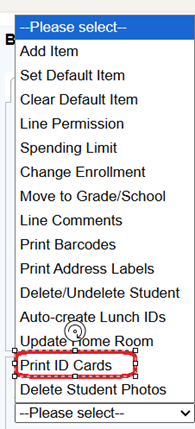
You will then select which students (selected or all) and whether to use the Student ID or the Lunch ID.

When all your selections are made, click Run.
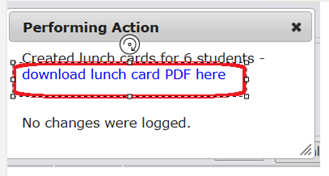
When the action is finished, click to download the file.
Once the file is downloaded, click to open it. Note: If you have student photos loaded for the serving line the photo will appear instead of NO PHOTO.
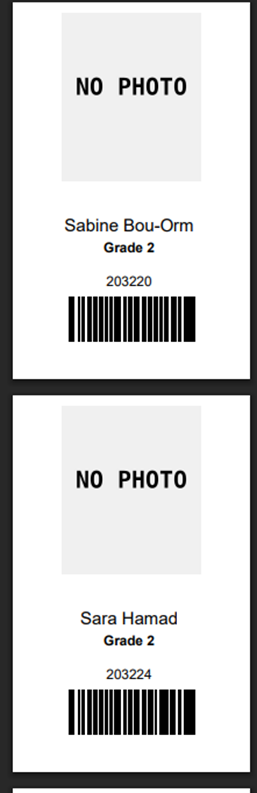
You can then print it from Acrobat, changing the scale and the number of items per page.